All features identified from the dashboard and sidebar navigation — dealership sales, lead management, and operations platform
Feel free to explore all features with this demo account.
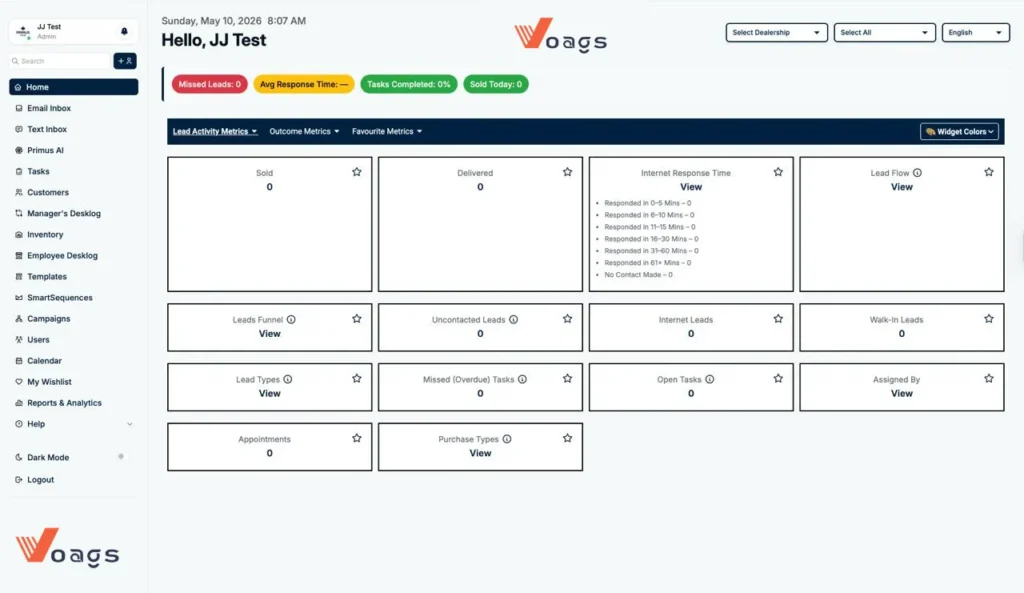
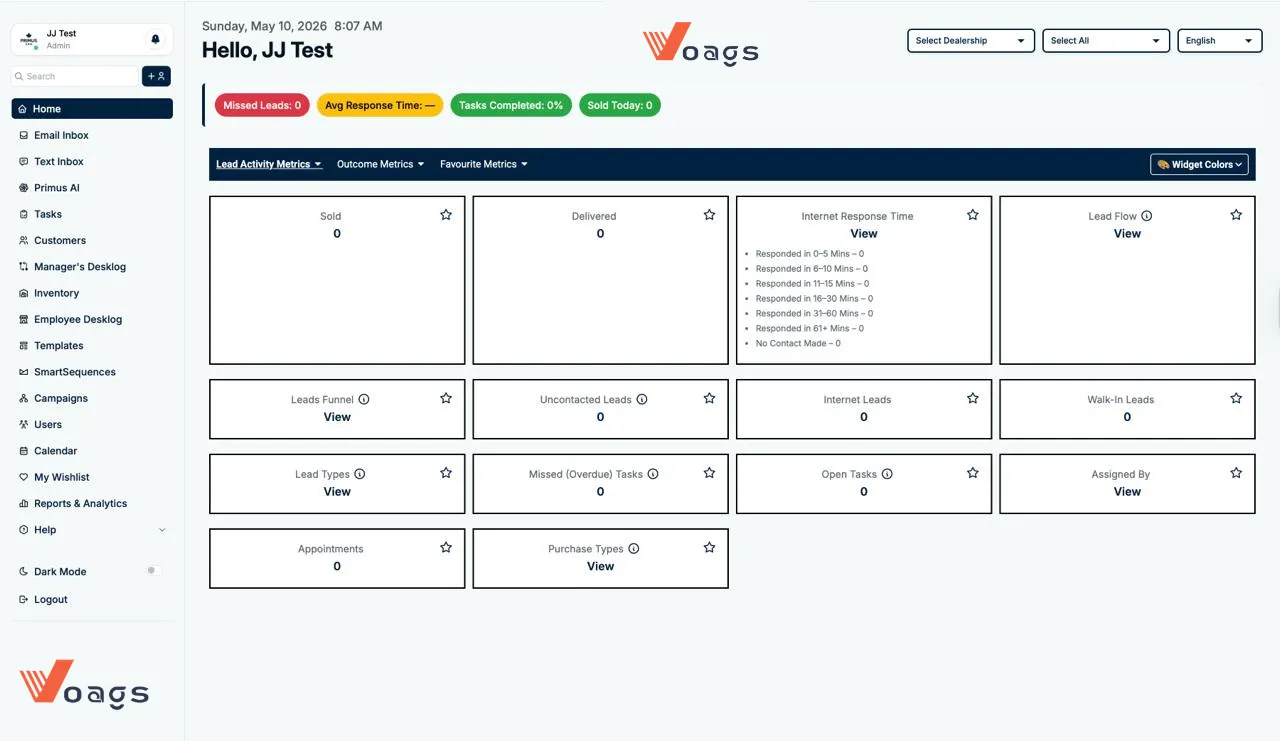
Real-time dealership KPIs with customisable widget layout
Red badge shows real-time count of leads that were not contacted — a critical accountability metric for sales managers
Orange badge displays the team's average time to first contact on inbound leads; blank dash indicates no data yet
Green badge shows today's task completion rate as a percentage across all assigned staff
Live count of vehicles sold on the current day — the dealership's headline daily KPI
Each dashboard widget has a star icon — users can favourite preferred metrics for the Favourite Metrics tab view
"Widget Colors" button lets managers personalise the dashboard colour scheme per user or role
Dashboard switches between Lead Activity Metrics, Outcome Metrics, and Favourite Metrics for focused analysis
Full dark mode switchable from the sidebar — reduces eye strain for showroom floor staff working evenings
Full-funnel tracking from first contact to vehicle delivery
Visual pipeline showing leads at each stage — new, contacted, appointment set, demo, negotiation, sold — with drill-down view
Isolates leads that have received zero outreach so sales reps can prioritise before leads go cold
Dedicated counter for leads originating from online sources — website, third-party portals, or digital ad campaigns
Tracks customers who arrive at the dealership without a prior appointment — captured and routed to available staff
Categorises leads by source type (internet, walk-in, phone, referral, campaign) with a detailed breakdown view
Shows the movement and reassignment of leads through the sales team over a selected time period
Displays which manager or system source assigned each lead, supporting accountability and performance reviews
Classifies deals by purchase method — cash, finance, lease, fleet — for sales mix reporting
Granular lead response speed broken into 7 time buckets
Counts leads responded to within 5 minutes — the gold standard window where contact rates are highest
Tracks slightly delayed but still fast responses as a separate performance band
Two additional time brackets help managers identify where response speed begins to drop off
Flags leads where response lagged — these contacts have significantly lower conversion rates
Highlights severely delayed responses — likely lost or cold leads requiring escalation protocols
Critical metric — counts leads where zero contact has occurred at all, feeding the Missed Leads badge on the top bar
Staff task management with overdue tracking and daily appointments
Create, assign, and track tasks for sales reps and managers with due dates and priority levels
Separate counter for tasks that have passed their due date — escalates to manager view for accountability
Total count of all outstanding tasks across the team — visible on the dashboard for at-a-glance workload tracking
Dashboard counter for scheduled customer appointments — test drives, deliveries, service visits, and demos
Full calendar view for scheduling appointments, tasks, and follow-ups across the sales team
Email, SMS, and AI-powered outreach in one platform
Dedicated in-CRM email inbox so sales reps manage all customer email threads without switching to an external client
Two-way SMS messaging with customers directly from the CRM — captures all text conversations against the lead record
Built-in AI assistant for drafting responses, summarising lead activity, suggesting follow-up actions, and automating outreach
Pre-built and custom email and SMS templates for common dealership communications — follow-ups, offers, delivery confirmations
Automated drip communication sequences that send timed email or SMS touchpoints to leads based on status or behaviour
Broadcast marketing campaigns sent to segmented customer lists — promotions, seasonal offers, re-engagement drives
Full customer profiles with search and quick-add
Centralised profiles storing contact details, vehicle history, communication logs, tasks, and deal history per customer
"+ Add" button in the sidebar header allows rapid customer creation without navigating away from the current view
Search bar in the sidebar searches across customers, leads, and deals in real time
Personal saved list for each sales rep — likely vehicles or leads they want to monitor or follow up on
Vehicle stock tracking linked to leads and deals
Manage new and used vehicle stock — VINs, make, model, year, trim, colour, pricing, and availability status
Dashboard widget tracks total vehicles delivered — distinct from sold, it confirms physical handover has occurred
Real-time count of vehicles sold in the current period — the primary revenue output metric on the dashboard
Deal desk workflow for managers and sales reps
Manager-level view of all active deals being worked — pricing, trade-ins, finance approvals, and deal status across the floor
Individual sales rep's own deal desk — their personal pipeline of active customer transactions in progress
Separate manager and employee views enforce role-appropriate access — reps see their deals, managers see all deals
Comprehensive performance reporting across sales, leads, and team activity
Dedicated section for generating detailed sales, lead, and activity reports across custom date ranges
Dashboard tab tracks all lead-related activity — responses, contacts, appointments set, and funnel movement
Each user saves their most-used metrics to a personal Favourites tab for quick daily reference
Results-focused tab showing sold, delivered, and conversion outcomes — the bottom-line performance view
Multi-dealership support, user management, and access control
"Select Dealership" dropdown in the top bar lets a group admin switch between multiple rooftops in a dealer group
Second top-bar dropdown for filtering the dashboard across all dealerships or a specific subset simultaneously
English language toggle in the top bar — supports multilingual dealership teams and international dealer groups
Add, edit, and manage staff user accounts with role assignments — sales rep, manager, admin, and system roles
Bell icon in the sidebar header for system alerts, lead assignments, task reminders, and message notifications
Collapsible Help section in the sidebar with support resources, guides, and documentation for staff onboarding
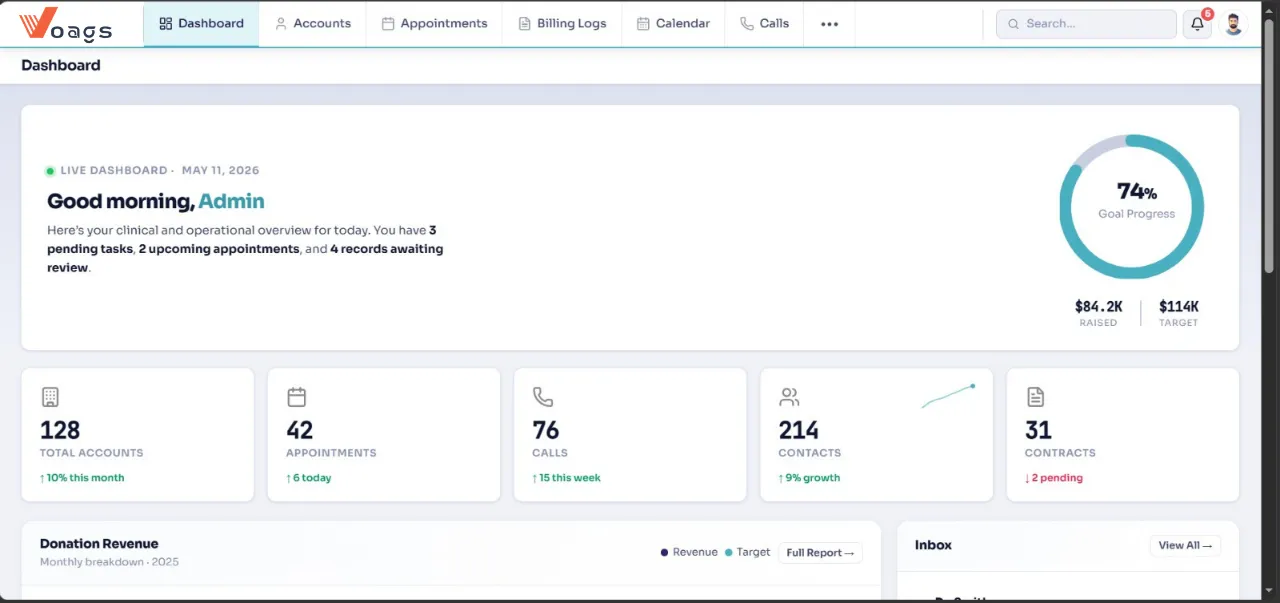
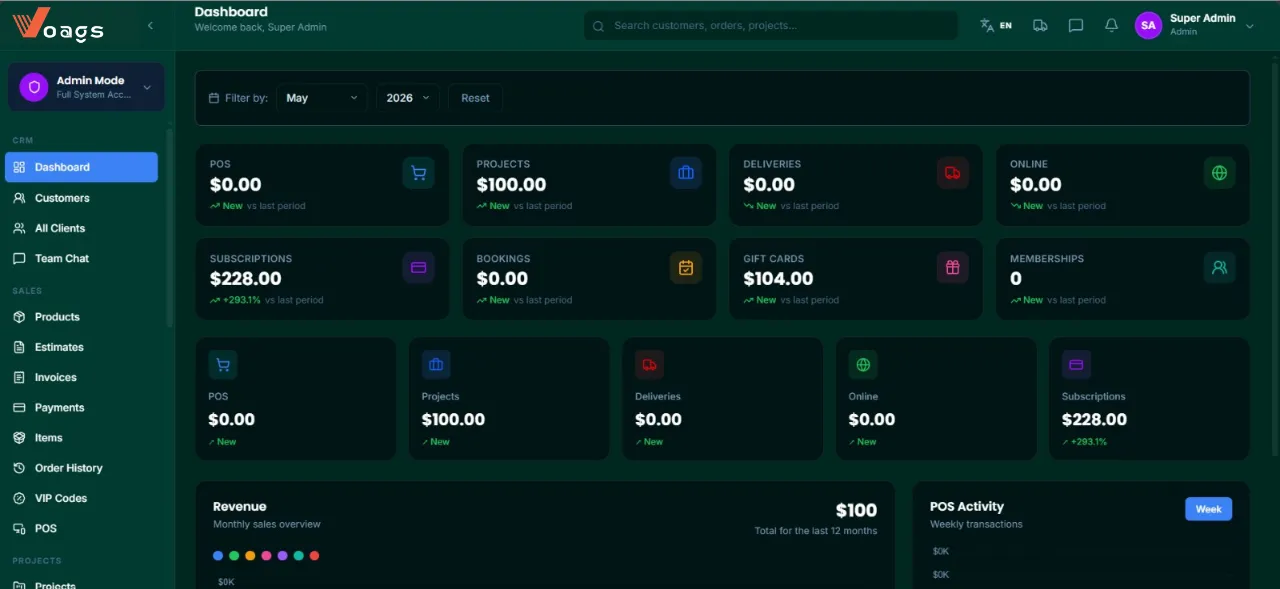
Upload your existing contacts and deals from CSV files or connect your current tools for seamless data migration.
Set up your sales pipeline, create custom fields, and configure automation rules that match your business process.
Begin managing your customer relationships with powerful tools and watch your sales productivity soar to new heights.
Transform your sales process and boost team productivity
Schedule a personalized consultation to see how our solutions can integrate with your existing ecosystem and drive measurable results.
No credit card required • 14-day free trial